
Every wine shop, rated.
BottleLens adds a score to every bottle on the wine shop you’re browsing, then sorts the whole shop by rating or value. Free for Chrome, Edge and Brave.
Works in Chrome, Edge and Brave. Firefox coming soon.
How it works
- Step 1
Open a wine shop
Any online wine shop, in any country. Click the BottleLens icon on the first visit.
- Step 2
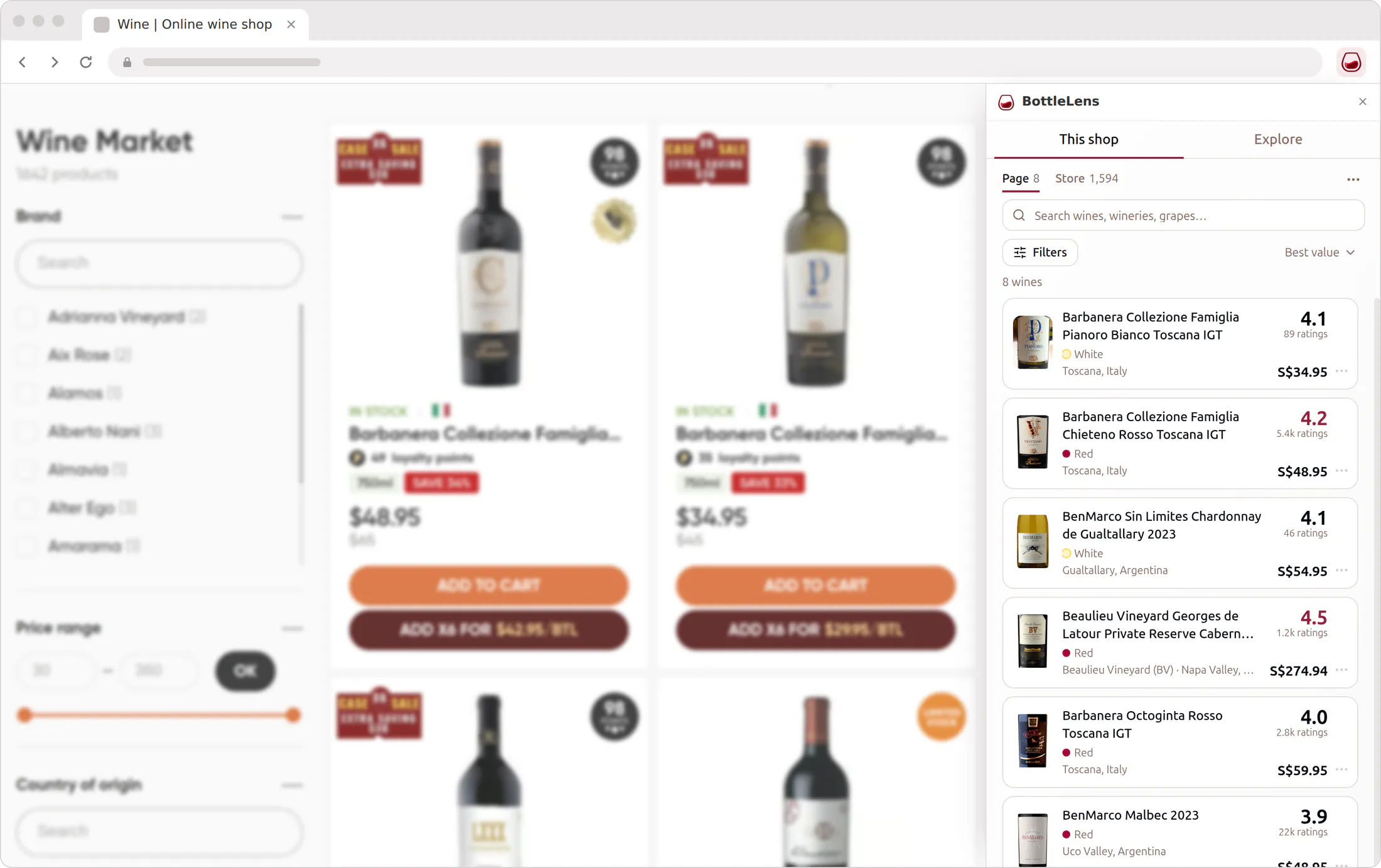
BottleLens reads the wine list
It finds every wine on the page and matches it to its score, usually in a few seconds.
- Step 3
Sort by what matters to you
Best rated, best value or cheapest first. Click a wine to open it in the shop.
The whole shop, not just this page
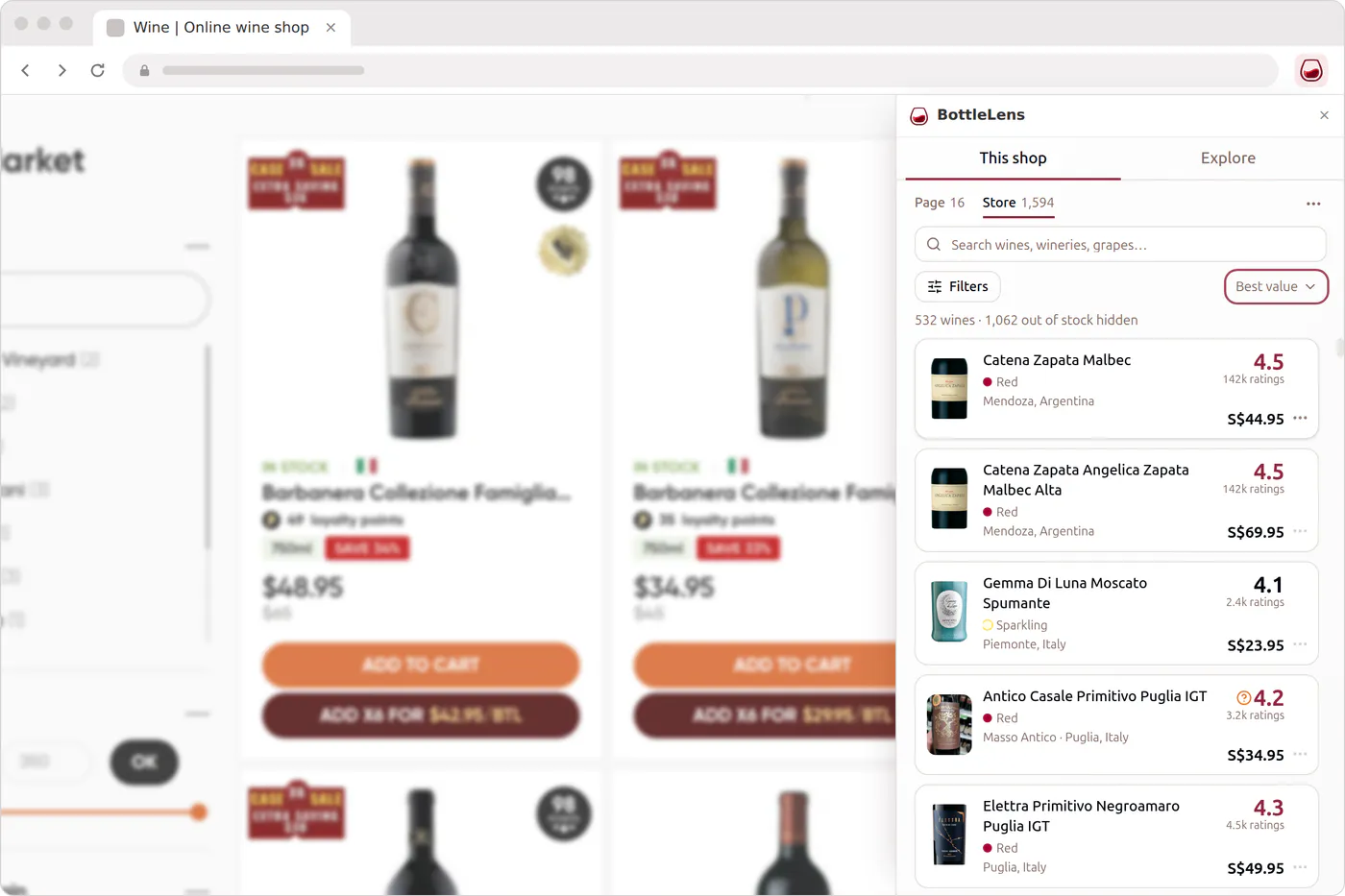
Shops spread their wines over dozens of pages. BottleLens can read the whole catalog for you, then sort all of it at once, so the best bottle on page 31 isn’t missed.
Compare every shop in your city
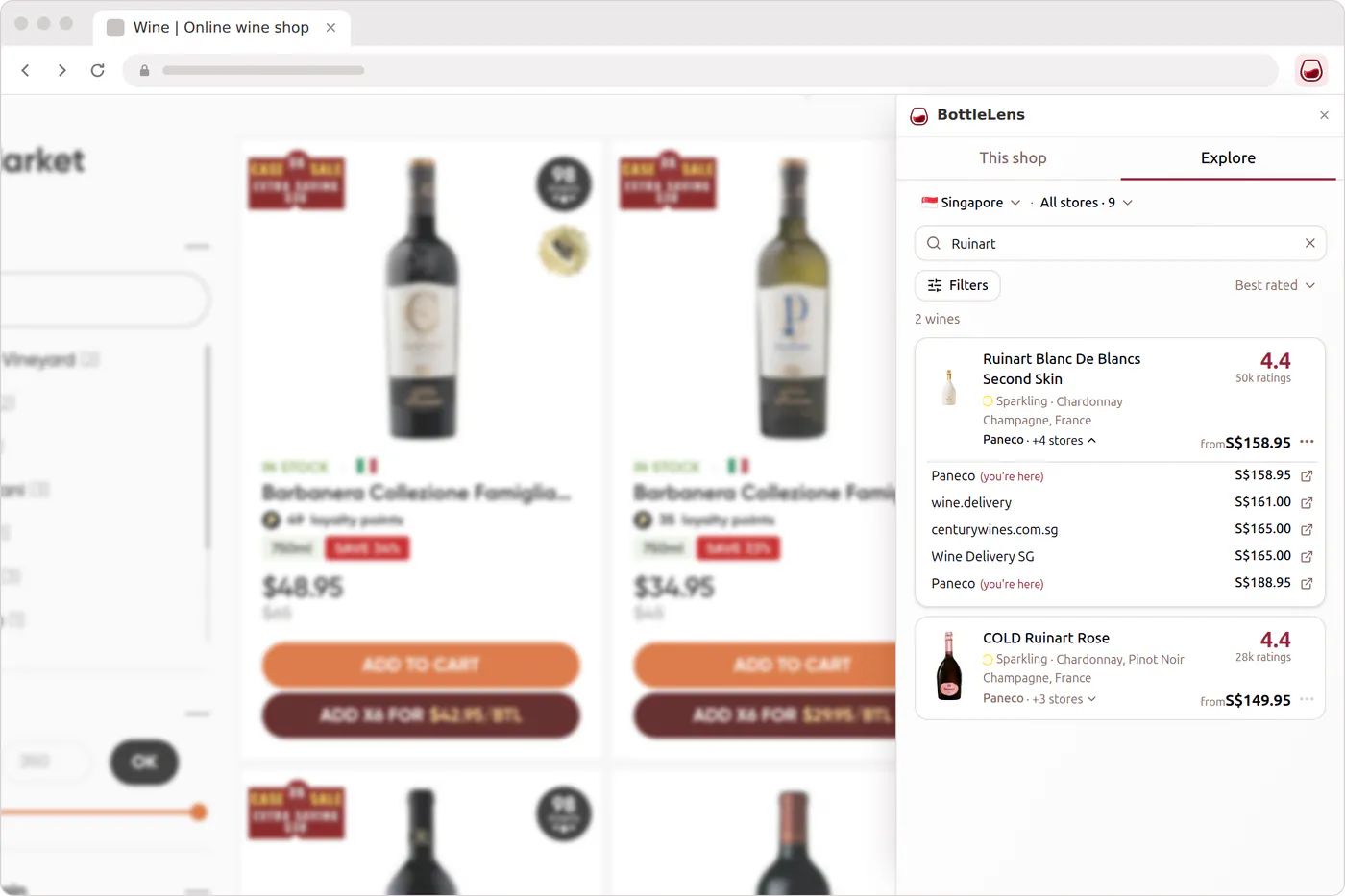
Explore shows the wines of every shop BottleLens knows in your country side by side, with the cheapest shop for each bottle. Filter by price, grape and region, and see who has it in stock.
Built for shops it has never seen
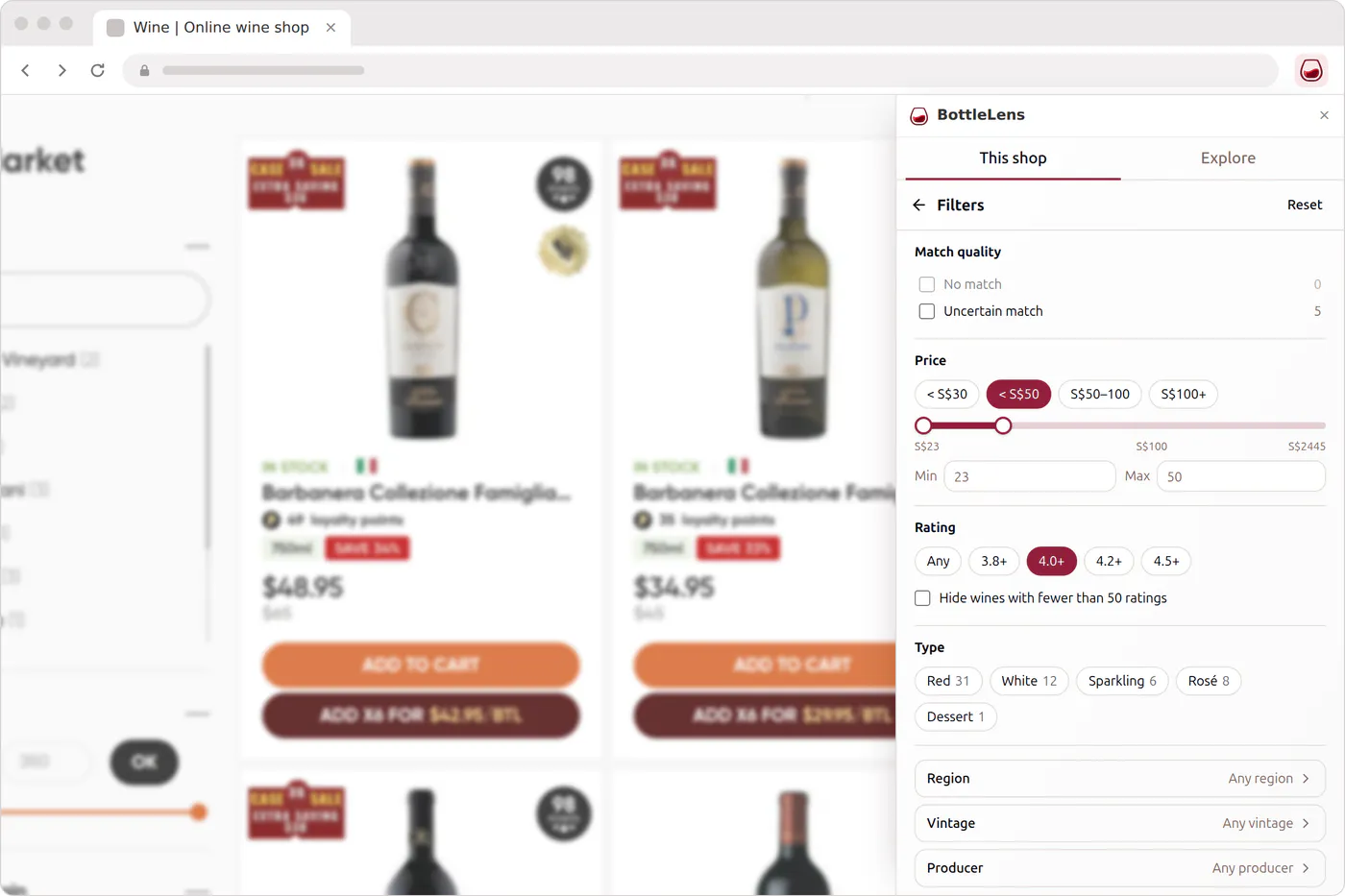
Every shop lays out its wines differently. BottleLens learns each new shop’s layout by itself, in any language, so it works on your local shop too.
What BottleLens sees
- Only wine shops. It reads the wines on shops you use it on. Other sites and your browsing history stay private.
- No account. There’s nothing to sign up for, and nothing it sends is tied to who you are.
- Wine data is shared. The wines, prices and stock it finds go into the BottleLens database so prices on this site stay current for everyone.
- Read the privacy policy
Questions
Is it free?
Yes. BottleLens is free and needs no account.
Which shops does it work on?
Online wine shops in general, not a fixed list. The first time you use it on a new shop, BottleLens works out how that shop lays out its wines; after that it reads the shop automatically.
Where do the scores come from?
Each score is the average rating wine drinkers have given that wine, out of 5, with the number of ratings behind it. A score from a handful of people is shown as such.
What if it matches the wrong wine?
Open the wine in the side panel and pick the right one from the suggestions, or search for it. Corrections help us fix the match for everyone.
Which browsers are supported?
Chrome, and browsers that install Chrome extensions such as Microsoft Edge and Brave. A Firefox version is on the way.